A new version of the A-Link Plus software has been released.
Version 6.3.11
A-link Plus V6.3.11 supports new control panel versions:
– ICP-SOL2100-P V1.00
– ICP-SOL3100-P V1.00
– ICP-SOL2-P V2.20, can be migrated from previous control panel version
– ICP-SOL3-P V2.20, can be migrated from previous control panel version
– ICP-SOL4-P V1.10, can be migrated from previous control panel version
You will need to uninstall your existing AlinkPlus software before updating to this version
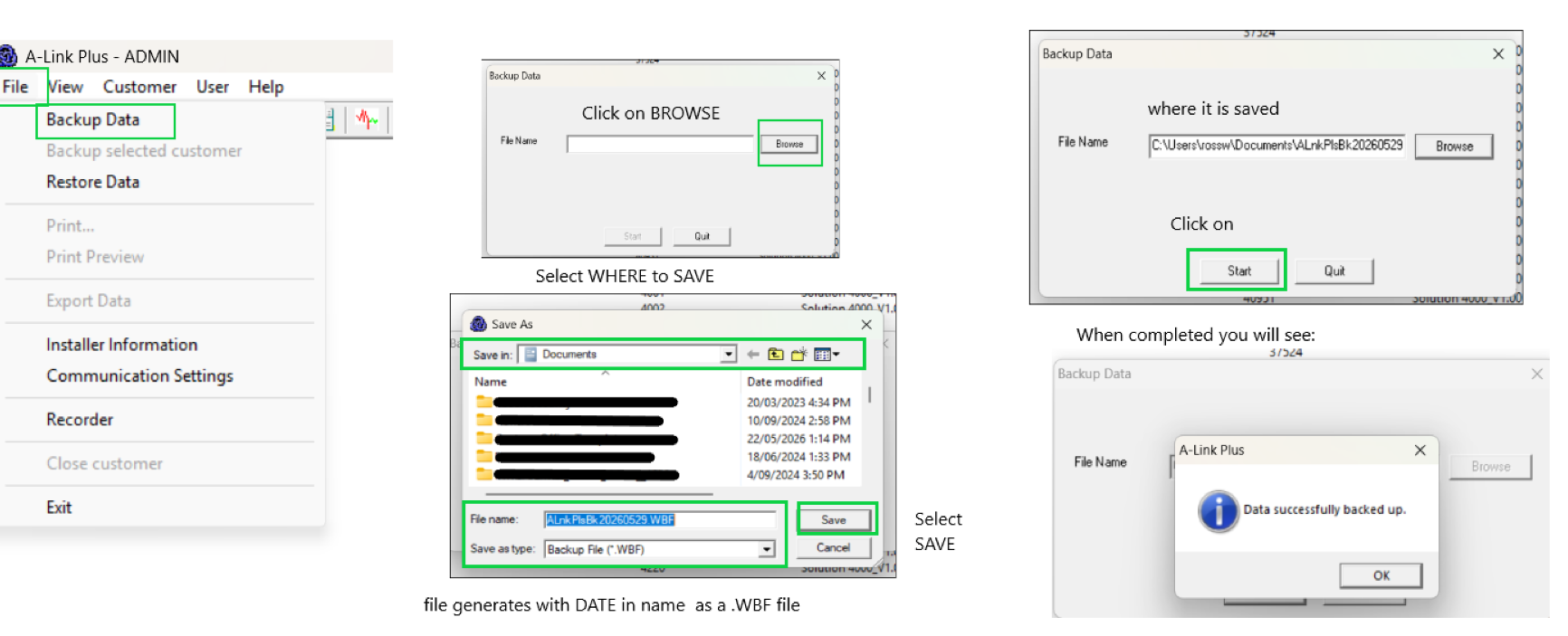
Your existing Database of panels should be retained after the upgrade, but we recommend for you perform a backup before doing the upgrade process.
To do so click on File then Backup Data
Follow steps below.
Once you have performed backup , go to your pc Desktop and right-click on the existing AlinkPlus icon and select DELETE.
Download the software file here:
Click on link
KEENFINITY Group | WINDOWS BASE A-Link Plus | ITS-ALINK-PLUS
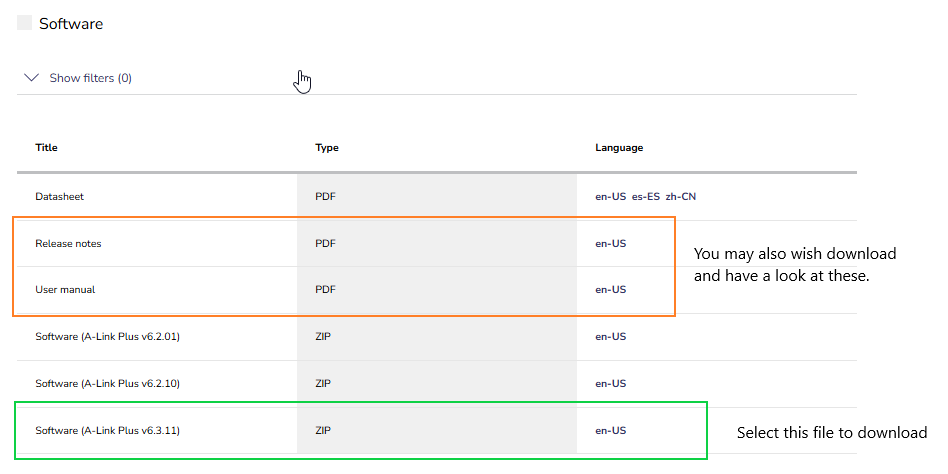
Click on DOWNLOADS
Select SOFTWARE
Download the .zip file
Once you have downloaded the .zip file, perform an extract all.
Click on the folder and you will see a file called SETUP.exe
This is the new AlinkPlus program
double-click or right-click select OPEN to install and follow the prompts.
Was this article helpful?
That’s Great!
Thank you for your feedback
Sorry! We couldn't be helpful
Thank you for your feedback
Feedback sent
We appreciate your effort and will try to fix the article