Previously we used to be able to setup Email Reporting that utilised the SMS gateway.
This is now obsolete.
If you have a MyAlarm Account that is NOT a Pay only once plan, you will be able to create reporting to single or multiple email addresses.
- First Log in to your MyAlarm Account and select the Customer panel.
- Then go to the REPORTING tab.
- Click on Add
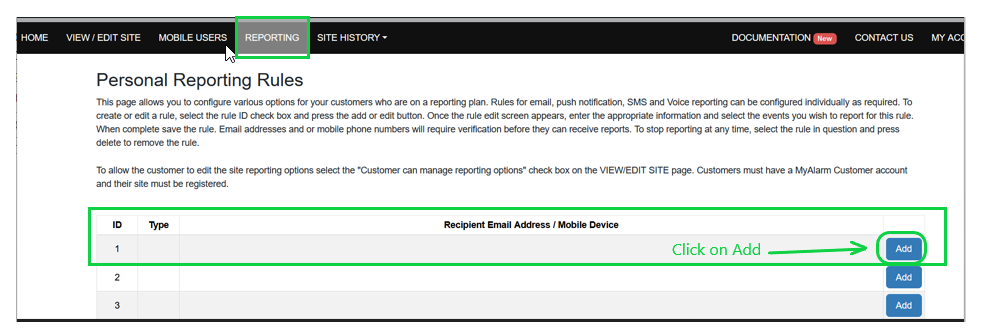
- You must now create a New Personal Routing Rule
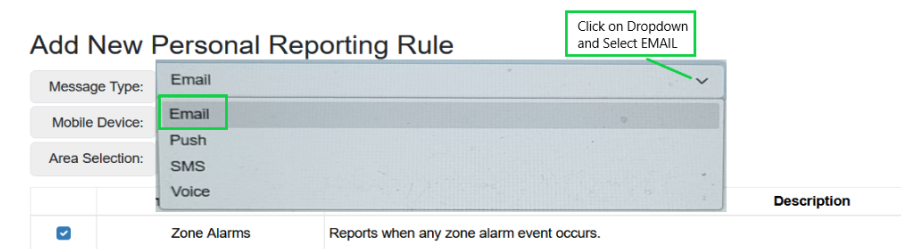
- You must now enter the Email address that you wish events to report to.
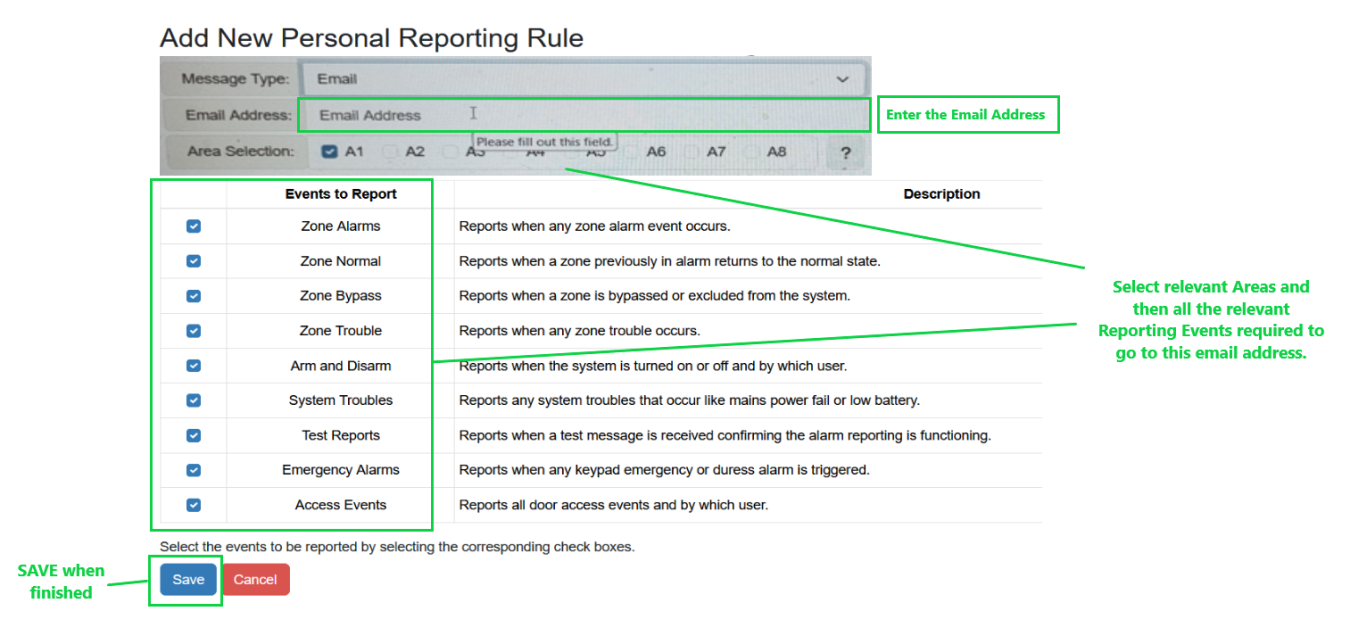
- Select relevant AREA and Event Reporting as required and then SAVE.
Note:
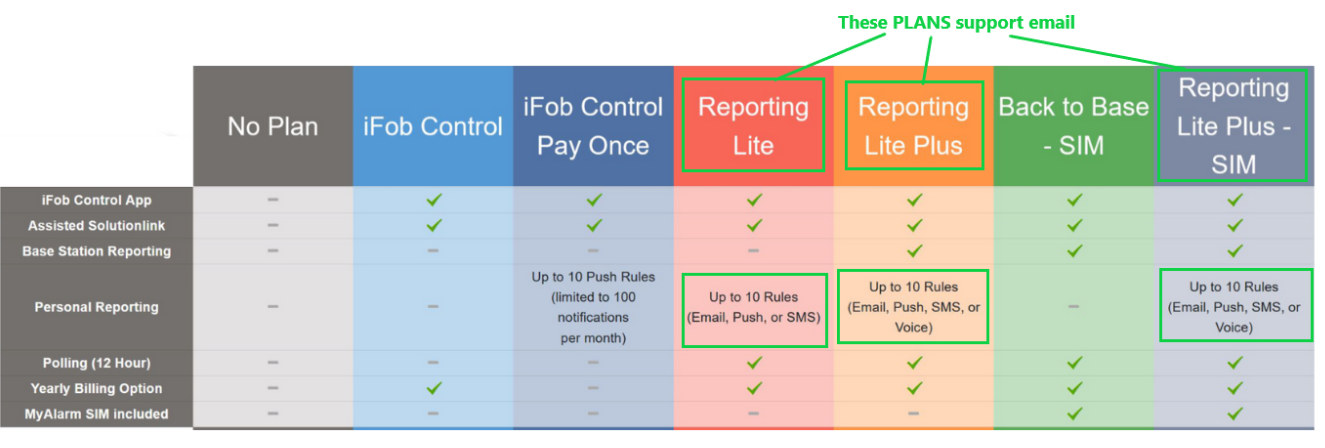
You will only see EMAIL if the User's MyAlarm account supports it.
If it is not in drop-down list you will need to update their MyAlarm Account to a different PLAN to allow this.
For MyAlarm Account assistance please contact MyAlarm ( Digiflex) on 02 9741 7000.
Was this article helpful?
That’s Great!
Thank you for your feedback
Sorry! We couldn't be helpful
Thank you for your feedback
Feedback sent
We appreciate your effort and will try to fix the article